

To put it simply, debugging is finding out why a program did something different from what you expected, by looking at what it actually did instead of what you hoped it did. That is the whole job. It sounds small. On a bad day it can swallow an entire evening.
The method I lean on is not clever. It is deliberately boring, and that is why it works. Panic makes me fast and sloppy. This method makes me slow for ten minutes, and then the bug has nowhere left to hide.
Bugs are a disagreement, not a disaster
Picture giving a friend written directions to your house, and your friend ends up on the wrong street. You would not shout at the paper. You would read your own directions back, slowly, and find the exact line where what you wrote and what you meant stopped being the same thing.
A program is those directions. The computer followed them exactly, including the line you wrote wrong at midnight, including the step you were sure you had written but never actually did. When the result is wrong, there is a specific place where expectation and reality parted ways.
That one idea changes the mood completely. You are not hunting a mysterious curse in the machine. You are proofreading directions you wrote, looking for one honest mismatch. Every bug I have ever fixed, in the end, came down to that. Something small, findable, and a little embarrassing once I saw it.
Make it happen again, then read the error
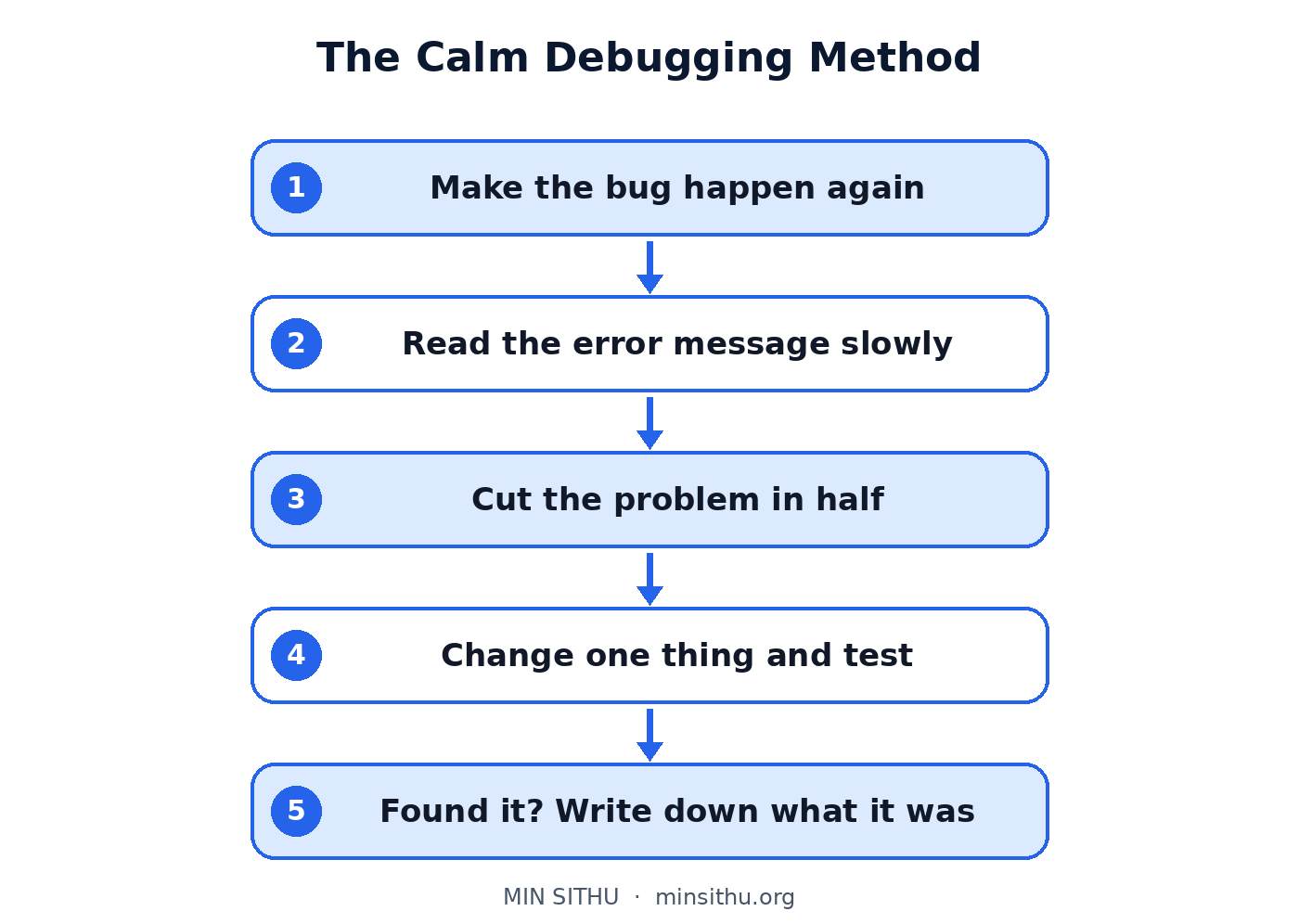
Before touching anything, reproduce the bug. That is the unfancy word for making it happen on purpose, more than once, the same way.
Click the same buttons, in the same order, with the same input. Write down what you did if you have to. If the bug only appears sometimes, note what was different each time. Which account, whether the list was empty or full, the time of day — these details feel useless right up until one of them turns out to be the whole story.
Then read the error like it is trying to help. Error messages have a terrible reputation, mostly because they are ugly and arrive at the worst moment. But a lot of them are genuinely trying to tell you where to look.
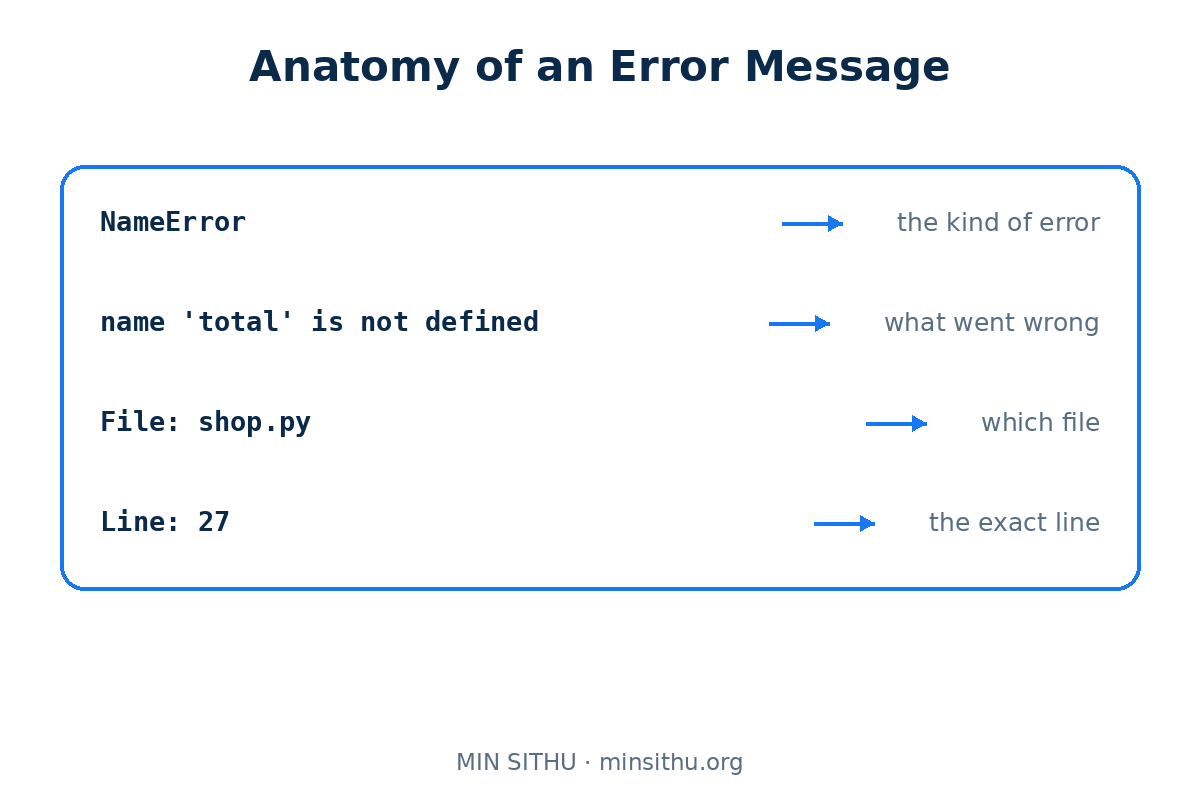
Read the whole thing once, not just the red part at the top. Near the end there is usually a file name and a line number. That is the program telling you the last place it was before things went wrong. Also look at what kind of error it is. A missing file, a number where text was expected, a name that does not exist — each points in a different direction.
When there is no error message at all, the wrong output itself is your message. Compare it carefully with what you expected. Not "it is broken", but "the total is exactly double" or "the first item is missing". A precise difference is a clue with an address on it. Double suggests something ran twice. A missing first item suggests a list being read starting one place too late. Describing the wrongness exactly often hands you the answer.
Narrow it down, and change one thing
Now shrink the area you have to search.
If the program has ten steps, find out how far it gets before the wrongness begins. Put a simple marker halfway: a printed line, a note in a log, anything that says "I reached this point, and the value here is this". If the value is already wrong halfway, the bug lives in the first half. If it is still right, the bug lives in the second half. Repeat that trick and the territory keeps halving.
When you think you have a suspect, change exactly one thing and test again.
One thing. Not three improvements and a rewrite of the neighbouring function while you are in there. If you change one thing and the bug goes away, you learned something true. If you change five things and the bug goes away, you learned nothing, and the bug may still be alive underneath one of your changes, waiting for next week.
Ask what changed, and use the checklist
If something worked yesterday and fails today, the bug is almost certainly hiding in what changed between yesterday and today. New code, an updated library, a setting somebody adjusted, even a different set of data.
Look at the recent changes first, before searching the whole program. Read them with fresh suspicion. The bug loves new code, because new code has never been tested by real life yet. This one question, "what changed?", has ended more debugging sessions for me than any clever tool.
When my brain is fried and a bug will not budge, I stop trusting my memory and run through this list in order:
- Can I make the bug happen again, on purpose, every time?
- Have I read the full error message, including the file and line at the end?
- Can I describe the wrong result exactly, in one sentence?
- Have I checked the halfway point to see if the values are already wrong there?
- Am I changing one thing at a time, and testing after each change?
- What changed recently, in the code, the settings, or the data?
- Have I stepped away for ten minutes since I last made real progress?
That last item is not soft advice. Some of my stubbornest bugs solved themselves while I was making tea, because my tired brain had been reading what I meant to write instead of what was on the screen. Ten minutes away, then fresh eyes on the exact line, and the mistake is suddenly obvious, sitting there like it was always in plain sight. It was. I just could not see it anymore.
Take the break before frustration makes you rewrite working code. Rewriting in anger creates tomorrow's bugs.
A calmer way to see it
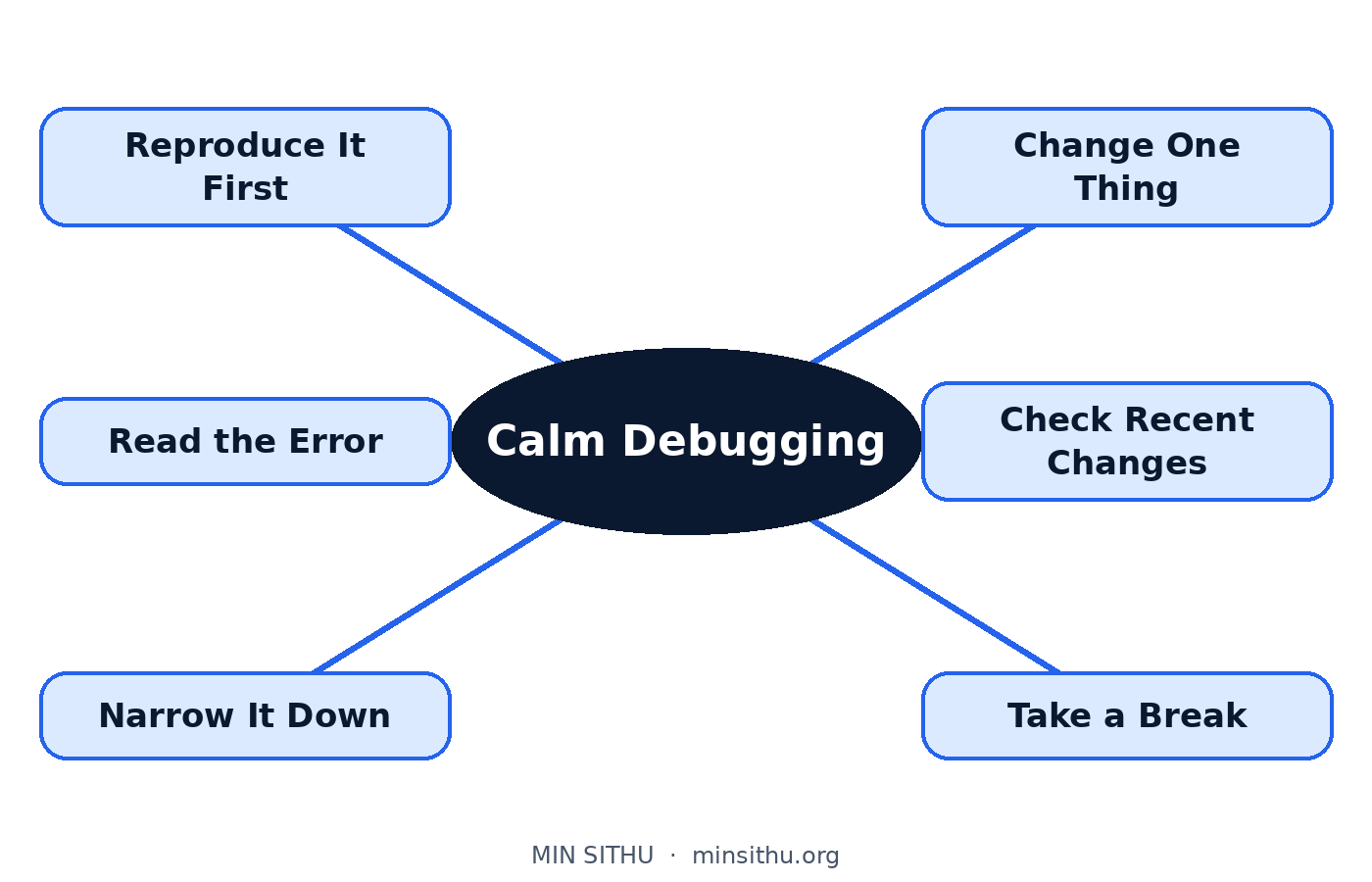
Debugging is not a separate talent that some programmers are born with. It is mostly patience, arranged into an order. Reproduce it. Read what it tells you. Shrink the territory. Change one thing. Ask what changed. Rest when you are stuck.
Do it in that order, slowly, and most bugs turn out to be small, ordinary, and fixable — a wrong name, a missing step in your own directions, a value that was never what you assumed. The machine was never against you. It was following your instructions with perfect loyalty, waiting for you to notice the one line where you told it the wrong thing.
Find that line. Fix that line. That is debugging, and you can absolutely learn to do it calmly.
References and further reading
- Debugging — Wikipedia
- Software bug — Wikipedia
- Rubber duck debugging — Wikipedia
- Debugger — Wikipedia
See you in the next post.
— Min SiThu Software Engineer & Tech Content Creator https://minsithu.org
Comments
Join the discussionNo comments yet. Be the first to comment.