

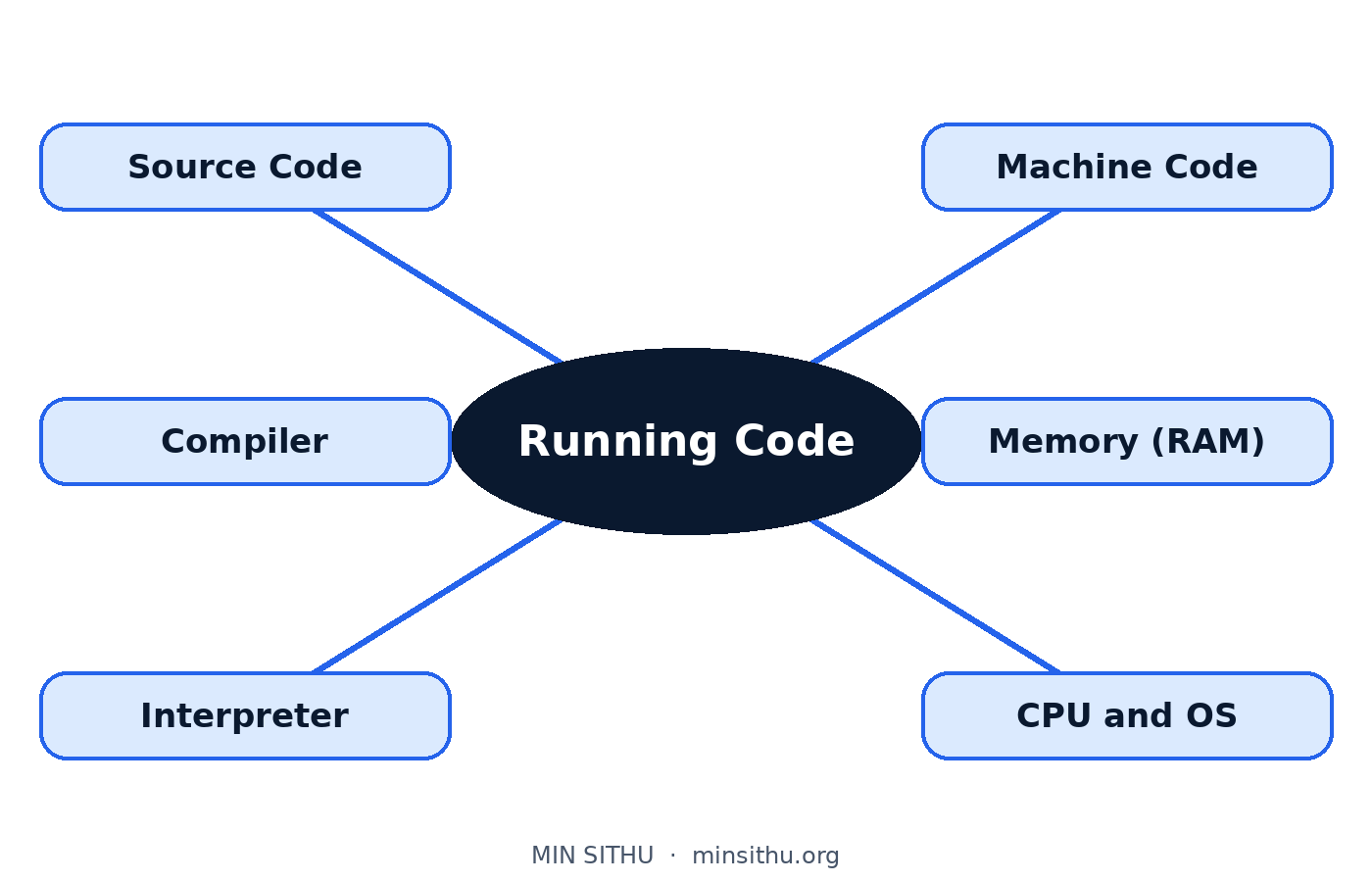
To put it simply, running code is a translation job. You write instructions in a language that suits humans, like Python or C, and before your computer can do anything with them, those instructions have to be turned into the only language the machine itself understands — long strings of simple on-and-off signals.
Your code is not what the computer reads
When you write a line like this in Python:
print("Hello")
that line is for you. It uses an English word, brackets, and quote marks because those are easy for a person to read and remember. Your CPU, the chip that does the actual work, cannot read any of it. A CPU does not know what "print" means. It does not know English at all.
What a CPU does understand is machine code. That is a set of very small, very basic operations written in binary — numbers made only of 0s and 1s. Add these two numbers. Move this value from one place to another. Compare these two things and, if they are equal, jump to another instruction. That is honestly about it. Every big program you have ever used, every game, every app, ends up as millions of those tiny operations, one after another.
So there is a gap. You think in words and ideas. The chip thinks in numbers and tiny steps. Something has to carry your instructions across that gap, and that something is either a compiler or an interpreter. They do the same translation job in two different ways.
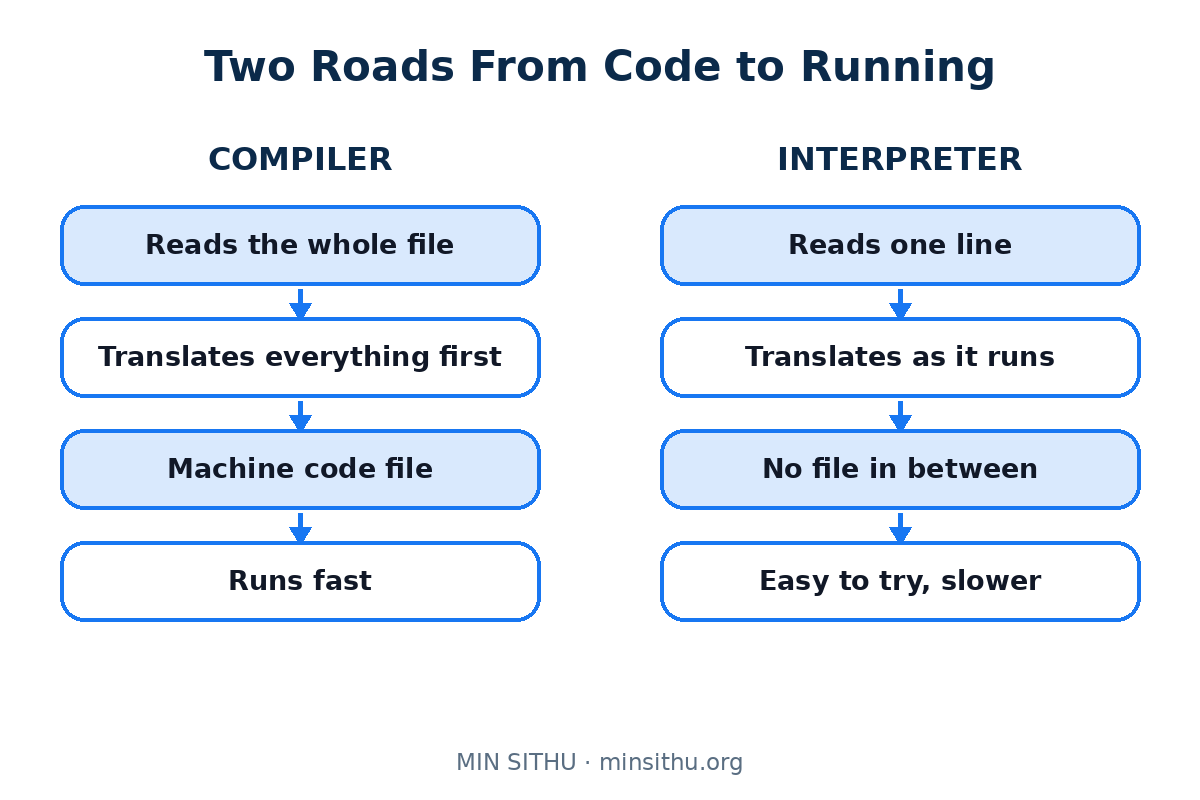
Think of it like getting a book translated. A compiler is a translator who takes the whole book away, translates every page in private, and hands you back a finished book in the other language. An interpreter is the person standing next to you at a meeting, translating one sentence at a time, as the speaker talks. Same goal. Very different timing.
Compilers: translate everything first, run it later
Languages like C, C++, Rust, and Go are usually compiled.
You write your source code — that is just the name for the code you typed, saved in files like main.c or main.rs. Then you run a program called a compiler over those files. The compiler reads the whole thing, checks it, and produces a new file: an executable. On Windows that often ends in .exe. Inside that file is machine code, ready for the CPU.
Only then do you run the program. At that point the compiler is gone. It did its work earlier, like the book translator who finished weeks before you sat down to read.
This way of working has a few clear effects you will feel in daily coding:
- Mistakes in the shape of your code are often caught before the program runs at all, because the compiler reads everything first
- The finished program tends to run fast, because all the translation work is already done
- You have to rebuild the executable after every change, even a one-line change, before you can test it
- An executable built for one kind of machine may not run on another kind, because the machine code was made for a specific chip and system
Interpreters: translate while the program runs
Languages like Python, JavaScript, and Ruby are usually run by an interpreter instead.
Here there is no finished translated book. You keep your source code, and when you run it, another program — the interpreter — reads your code a chunk at a time, works out what each part means, and carries it out on the spot. Sentence by sentence, like the person at the meeting.
This also has effects you can feel:
- You can change a line and run the program again straight away, with no building step in between
- The same code file can often run on different machines, as long as each machine has the interpreter installed
- The program tends to run slower than compiled code, because translation is happening while it runs
- Some mistakes only show up when the interpreter actually reaches that line, which might be ten minutes into the program, not at the start
Some languages mix the two approaches. Java and C# translate your code into an in-between form first, then translate that again while running. You do not need to memorise which is which. Just hold on to the main idea: somebody, at some point, is translating.
So you pressed Run. What happens next?
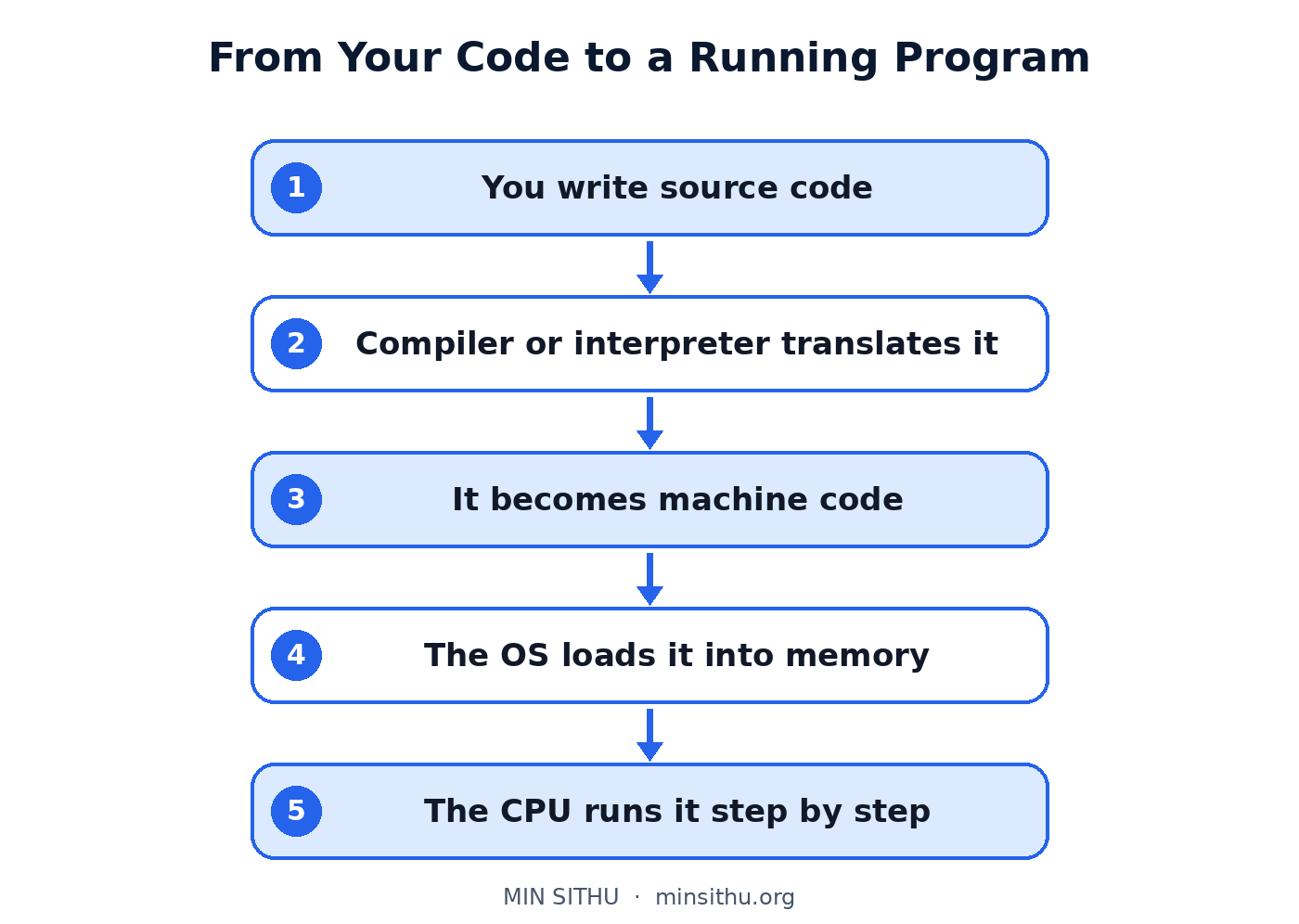
Let me walk through it in order, using the same translation picture.
First, the operating system — Windows, macOS, Linux — loads the program into memory. Memory, or RAM, is the computer's short-term workspace. Think of it as the desk where work in progress sits. The code to be run and the data it works with both live there while the program is active. Turn the machine off and the desk is cleared.
Next, the CPU starts working through the instructions one by one, unbelievably fast — billions per second on a modern chip. It fetches an instruction from memory, works out what it asks for, does it, and moves to the next one. Fetch, decode, execute. Fetch, decode, execute. That loop is the heartbeat under everything your computer does.
While that is happening, your program asks for things. It wants to read a file from the disk, which is the long-term storage, the filing cabinet rather than the desk. It wants to show something on the screen. It wants a value the user typed. The CPU does not do all of that itself. It asks the operating system, which talks to the hardware and brings back what was needed.
That is also why running too many heavy programs at once makes a computer feel slow. The desk fills up, and the CPU's attention is split between too many sets of instructions at the same time.
Why this helps you in real coding
None of this is just theory. A compile error means the translator stopped before the program even started — there is nothing to run. A runtime error means translation was fine, but something went wrong while the instructions were being carried out, like dividing by zero or opening a file that is not there.
When something breaks, ask yourself which stage you are in. Am I still translating, or am I already running? That one question puts you in the right half of the problem, and that alone saves time.
Just remember the shape of it: you write words for humans, a compiler or an interpreter turns them into machine code, the operating system loads that into memory, and the CPU works through it step by step, very, very fast. Press Run again and picture it happening. The button feels different once you know what is behind it.
References and further reading
- Compiler — Wikipedia
- Interpreter (computing) — Wikipedia
- Central processing unit — Wikipedia
- Random-access memory — Wikipedia
See you in the next post.
— Min SiThu Software Engineer & Tech Content Creator https://minsithu.org
Comments
Join the discussionNo comments yet. Be the first to comment.